

Introduction
Smart Product Gallery swaps FluentCart's built-in product gallery for one you control: eleven layouts, image zoom, a lightbox, and images that follow the variation a shopper picks.
What it does
FluentCart ships with a simple product gallery: one main image, a strip of thumbnails, and not much to adjust. That's fine for some stores. But if you want thumbnails down the side, every image in a grid, a magnifier when shoppers hover, or a full-screen view they can swipe through, you've run out of options.
Smart Product Gallery replaces that gallery on your product pages. You style it once, under FluentCart → Product Gallery, and every product in your store picks up the same look. You don't have to edit products one by one or write code.
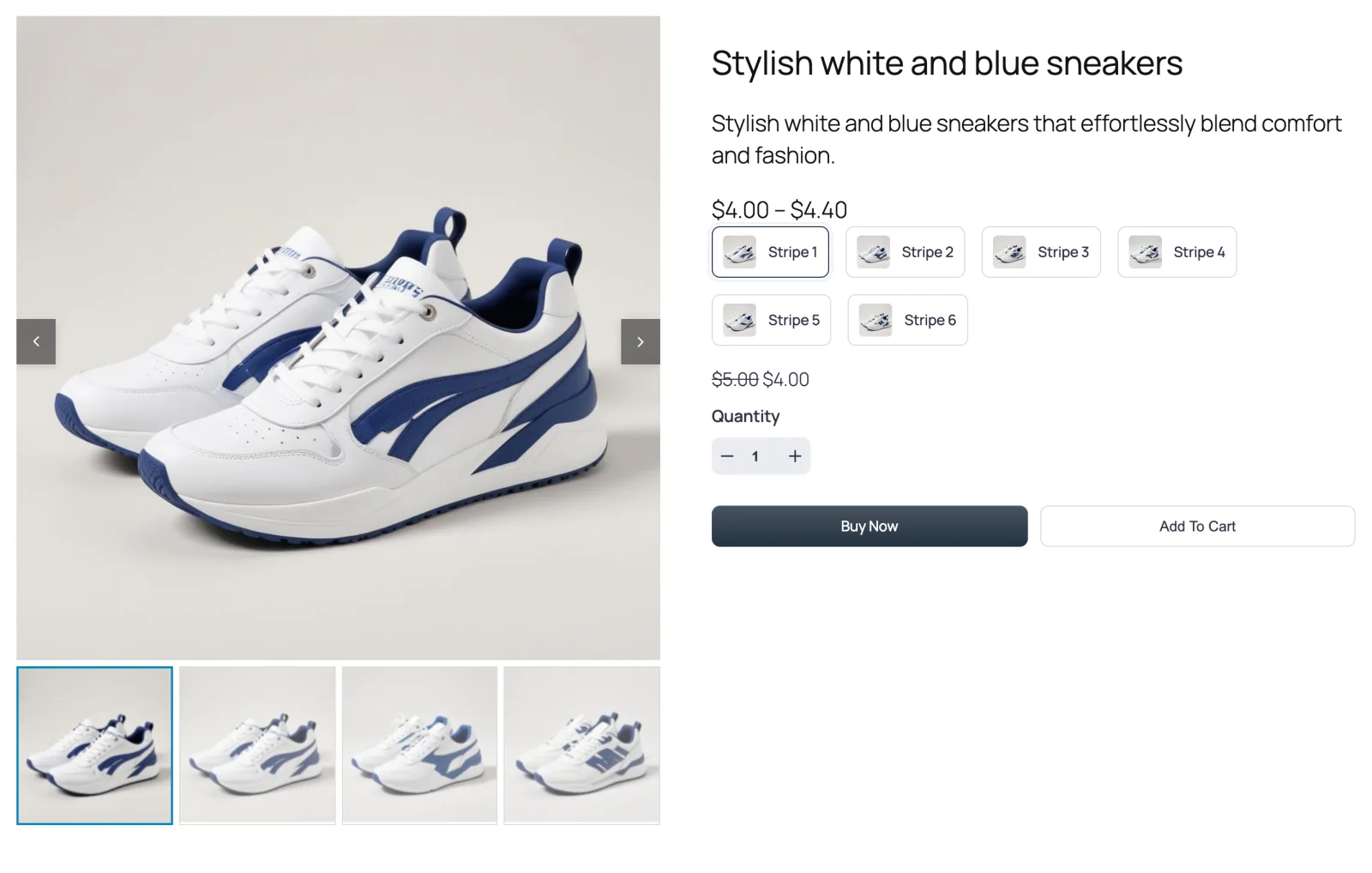
What you can do with it
- Pick a layout. There are eleven. Thumbnails can sit below, above, left or right of the main image, or wrap onto several rows. You can drop the thumbnails for a plain slider, or show every image at once in a grid, a mosaic or a scrolling column. Compare the layouts →
- Let shoppers look closely. Hover zoom has four styles, from a simple in-place zoom to a magnifier lens or a separate zoom window beside the image. Image Zoom →
- Open images full screen. A click opens the lightbox, where shoppers can swipe through the images, start a slideshow, or download them. Lightbox →
- Follow variations. When a shopper picks "Blue" or "Size 10", the gallery shows that variation's images. Variation Images →
- Fine-tune the details. Set arrow and dot styles, thumbnail borders and hover effects, autoplay, slide effects, gallery height, captions and lazy loading. You can also add your own CSS.
- Use it beyond the product page. The gallery shows up in the shop's quick-view pop-up too. A block and a shortcode let you place it in block-theme templates and page builders.
Who it's for
Store owners running FluentCart on WordPress who want their product photos to look better. That's especially true for stores where the photos sell the product: fashion, footwear, furniture, jewellery, art. You don't need to know any code. If you can change a setting and press Save, you can set this up.
Free and Pro
Smart Product Gallery comes in two editions:
- Smart Product Gallery for FluentCart is free on WordPress.org. It gives you the Thumbs Bottom and Thumbs Top layouts, the slider, navigation and pagination, thumbnail styling, image zoom, and custom CSS.
- Smart Product Gallery Pro is the paid edition. It adds the other nine layouts, the lightbox, and the remaining style options.
This site documents both together. Where the free plugin's screen looks different, the page says so. See exactly what each edition includes →
Where to go next
- Requirements — check your site is ready
- Installation & License — get it running
- Quick Start — your first gallery in about five minutes
- How It Works — read this if you use a block theme