

Product Image
Choose which size of each photo the gallery loads, whether images load lazily, and whether their corners are rounded.
Where to find it: FluentCart → Product Gallery → Gallery → Product Image (admin.php?page=smart-product-gallery#gallery/product_image)
This is the only Gallery sub-tab that appears for every layout. Whatever layout you choose, its images follow these settings.
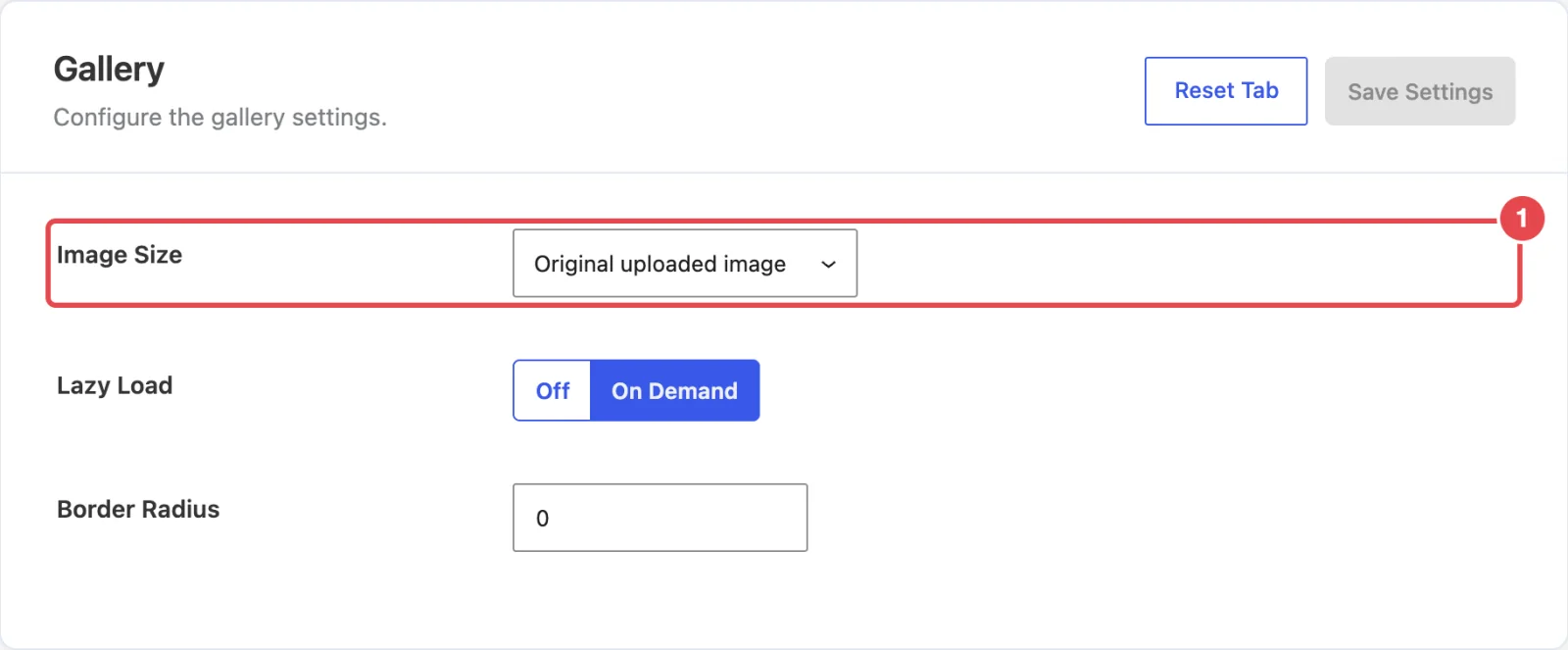
Image size
When you upload a photo, WordPress saves several copies at different sizes. Image Size chooses which copy the gallery loads.
| Setting | What it does | Default |
|---|---|---|
| Image Size | The copy of each photo used for the main gallery image. The list shows your site's own sizes with their dimensions, for example Thumbnail (150x150), Medium (300x300) and Large, plus any sizes your theme adds, and Original uploaded image. | Original uploaded image |
| Border Radius | Rounds the corners of the gallery images, in pixels. 0 keeps them square. | 0 |
Picking the right size
Original uploaded image gives the sharpest result, and zoom needs a big image to be useful. The catch is file size: an unedited photo from a phone camera can be 5 MB. If your product pages feel slow, either resize your photos before you upload them (2000px on the long edge is plenty) or pick Large here. Don't pick a size smaller than the space the gallery fills, or images will look soft. Performance covers this in more depth.
The thumbnail strip has its own size setting, Thumbnails Size, on the General tab.
Lazy loading
| Setting | What it does | Default |
|---|---|---|
| Lazy Load | On Demand tells the browser it can wait to download an image until it's close to scrolling into view. That makes the first page load lighter, which helps most on long galleries and grid layouts. Off loads every image straight away. | On Demand |
Lazy loading uses the browser's built-in loading="lazy" support, so there's nothing extra for the browser to download. Leave it on unless another performance plugin already lazy-loads your images and you're seeing them load twice.
In the free plugin
Every option on this sub-tab is available in the free Smart Product Gallery for FluentCart.
Where to go next
- Performance: keep product pages fast with large galleries.
- Zoom: zoom works best on a large source image.
- Show More Button: the last Gallery sub-tab, for grid layouts.