

License Key
Activating your license registers this site against your Smart Product Gallery Pro purchase. It takes a minute, and you only do it once per site.
Where to find it: FluentCart → Product Gallery → Advanced → License Key (admin.php?page=smart-product-gallery#advanced/license_key)
This sub-tab only exists in Smart Product Gallery Pro. The free plugin doesn't need a license.
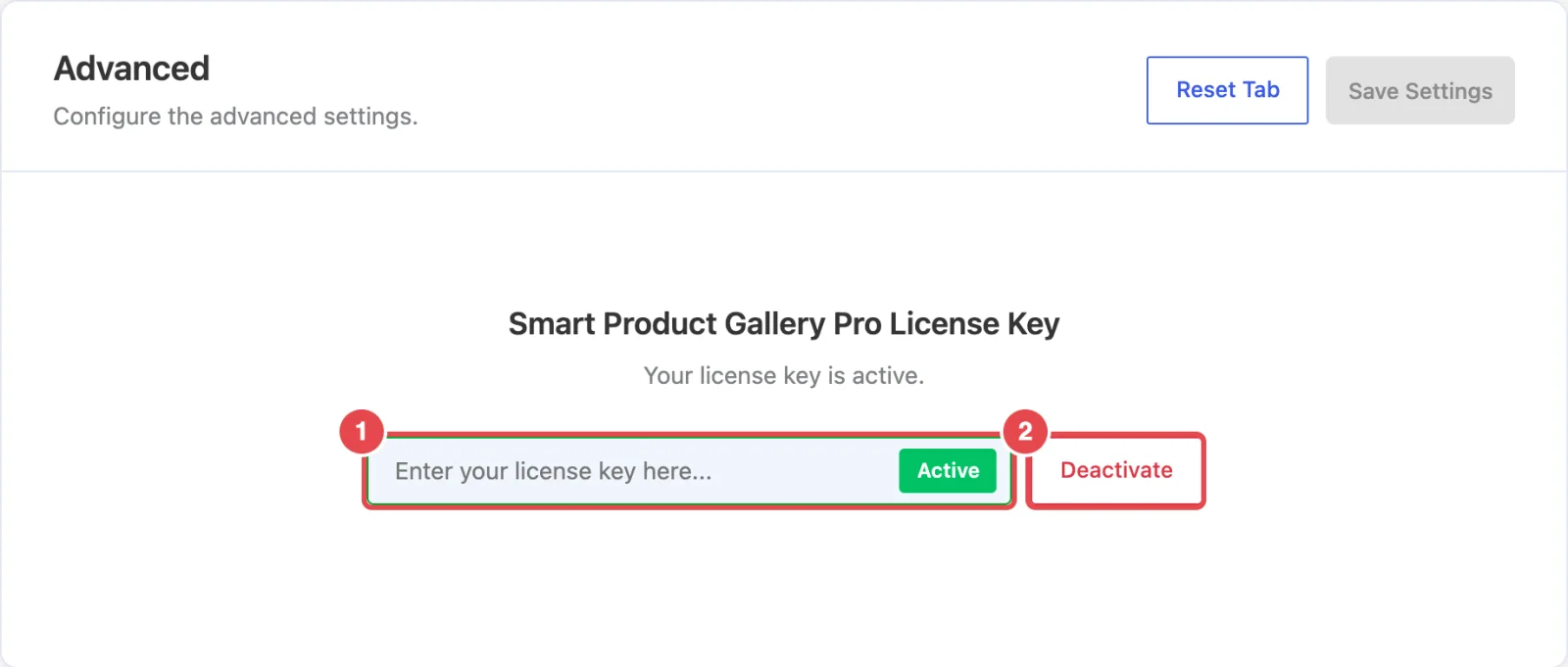
Activating your license
- Find your license key. It's in your purchase email and in your ShapedPlugin account at account.shapedplugin.com.
- In WordPress, go to FluentCart → Product Gallery → Advanced → License Key.
- Paste the key into the box (placeholder "Enter your license key here...").
- Click Activate. The button reads Activating... while it checks the key with ShapedPlugin's server.
When it works, you'll see "License activated successfully!". The box locks with a green Active badge, and the status line reads "Your license key is active."
The full walkthrough, including where to download Pro, is in Installation & License.
What the status line tells you
| Status | Meaning |
|---|---|
| "Your license key is active." | All set. |
| "Please activate your license key to make the plugin work." | No key is active on this site yet. The How to activate license key? link next to it opens ShapedPlugin's activation guide. |
| "Your license key has expired. Please renew your license key." (in red) | The license period has ended. Renew it from your ShapedPlugin account. |
Until the license is active, WordPress admin pages show a notice reminding you to activate it, with an Activate Now link that brings you here. Once a license expires, the notice changes to a renewal reminder.
Moving to another site
Your license allows a set number of active sites. To move it, for example from a staging site to your live store:
- On the old site, open this sub-tab and click Deactivate (it reads Deactivating... while it works). You'll see "License deactivated successfully!".
- On the new site, paste the key and click Activate.
If activation fails
| Message | What to do |
|---|---|
| "Please enter a license key" | The box is empty. Paste your key first. |
| "Invalid license." or "This appears to be an invalid license key for …" | Check you've copied the whole key, with no spaces at either end, and that it's a Smart Product Gallery Pro key, not one for another ShapedPlugin product. |
| "Your license key has reached its activation limit." | Deactivate the key on a site you no longer use, or upgrade your plan. |
| "Your license key expired on …" | Renew the license from your ShapedPlugin account, then activate again. |
| "Your license key has been disabled." | Contact ShapedPlugin support. |
| "Your license is not active for this URL." | The key was activated for a different site address. Deactivate it there, or contact support. |
| "An error occurred, please try again." | Usually a temporary connection problem. Wait a minute and try again. If it keeps happening, your host may be blocking outgoing requests to account.shapedplugin.com. |
Still stuck? Open a support ticket.
Where to go next
- Installation & License: the complete setup, from download to activation.
- Help Center: support links inside the plugin.
- Uninstalling & Data: what's removed when you delete the plugin.